
SAP Cloud ERP Launchpad
A free browser extension for SAP Cloud ERP systems and Fiori Applications — boost your productivity as developer, consultant, or business user.
A free browser extension for SAP Cloud ERP systems and Fiori Applications — boost your productivity as developer, consultant, or business user.
This extension aims to improve your life as business user, developer, consultant or tester, working with different Fiori applications on different internal or customer systems.
Skip the slow launchpad loading. Open any Fiori App directly from your browser toolbar in seconds.
Save your favorite SAP Systems and Fiori Apps. Open them in any system with a single click.
Export and share your system and app lists with colleagues or clients. Import backups when switching computers.
Enable the extension in your browser's incognito mode to browse SAP systems privately.
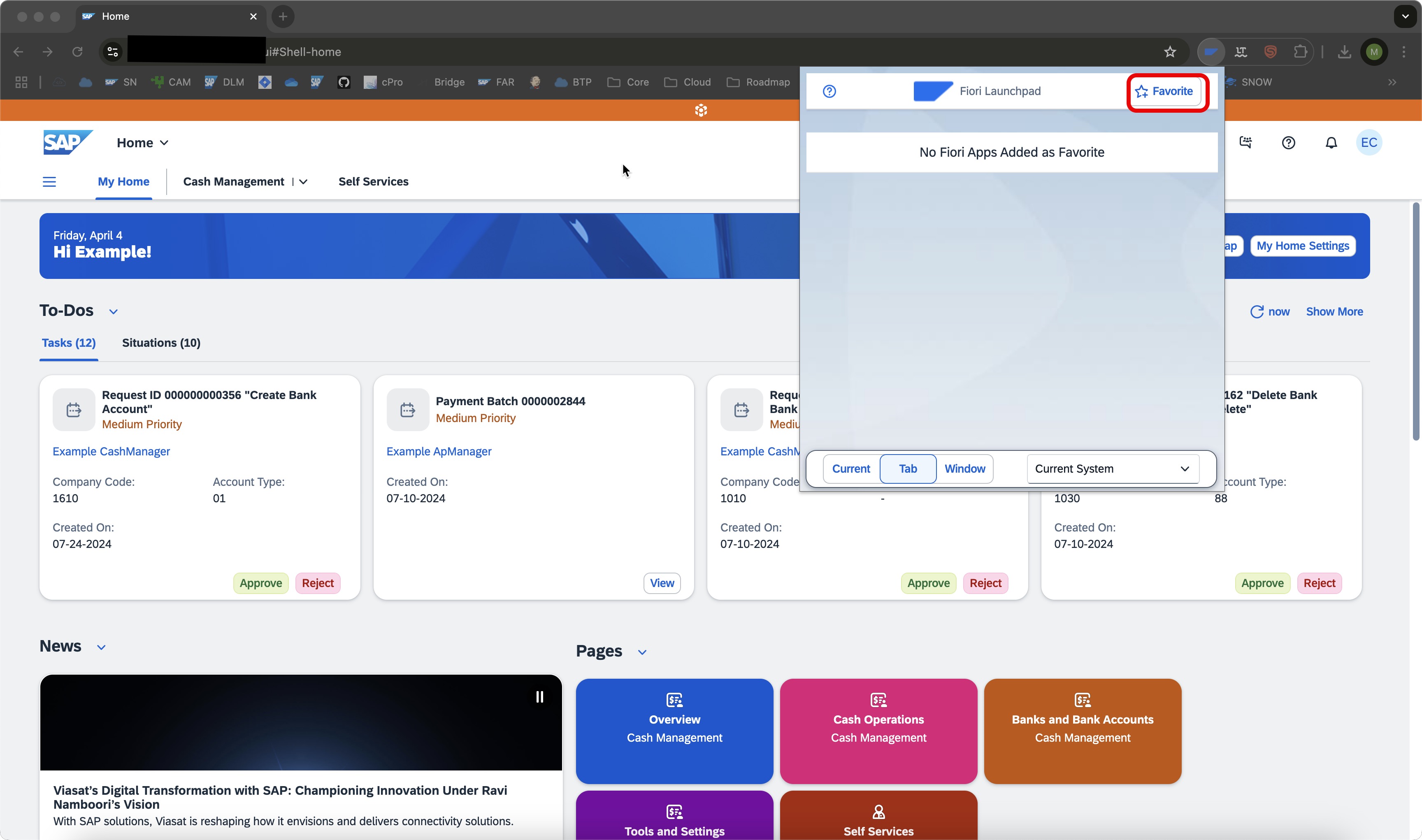
Click the extension icon to open the popup and manage all your SAP systems and Fiori apps instantly.
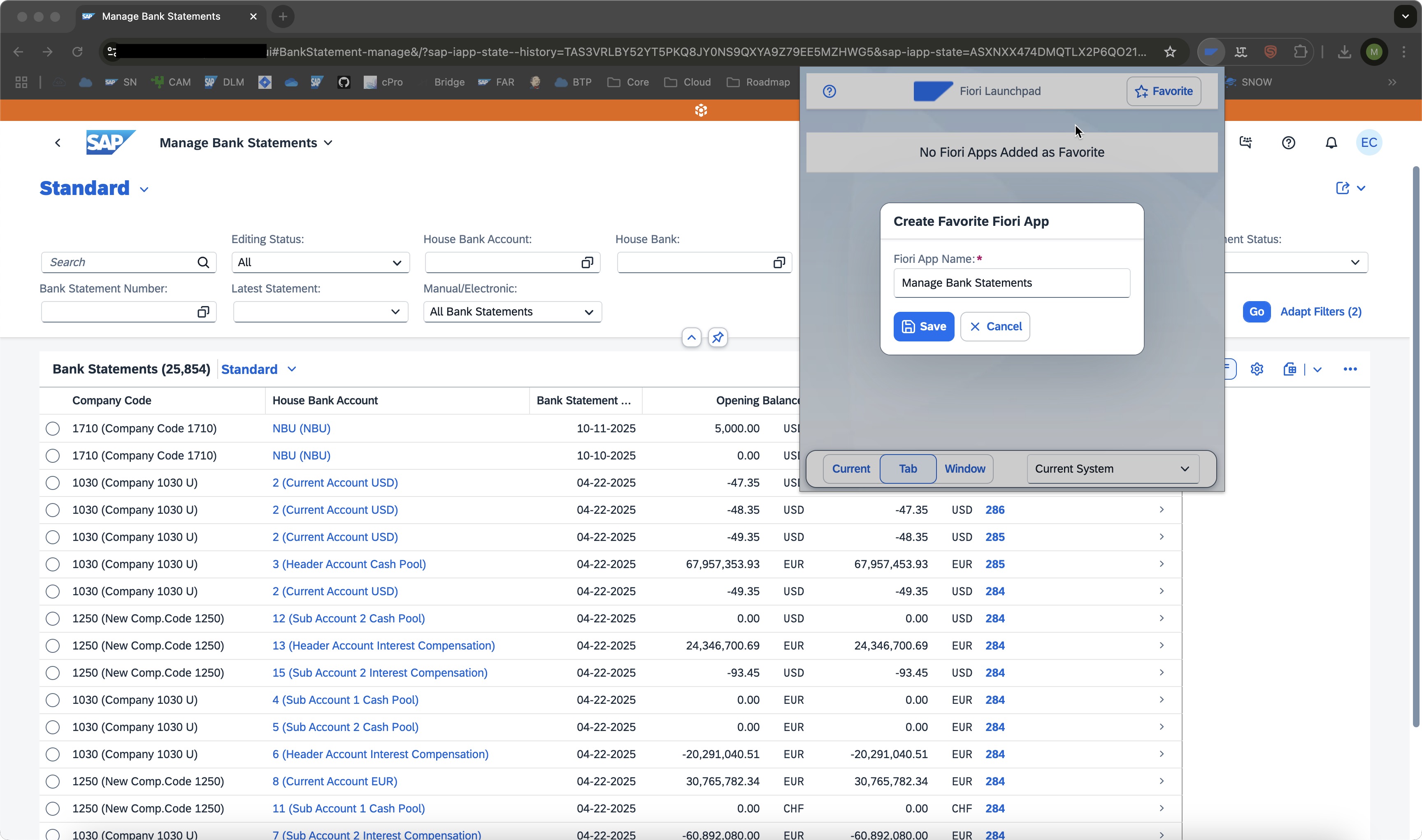
By clicking on the icon, the popup opens and offers the possibility to add any Fiori App or SAP Cloud ERP System to your favorite list.
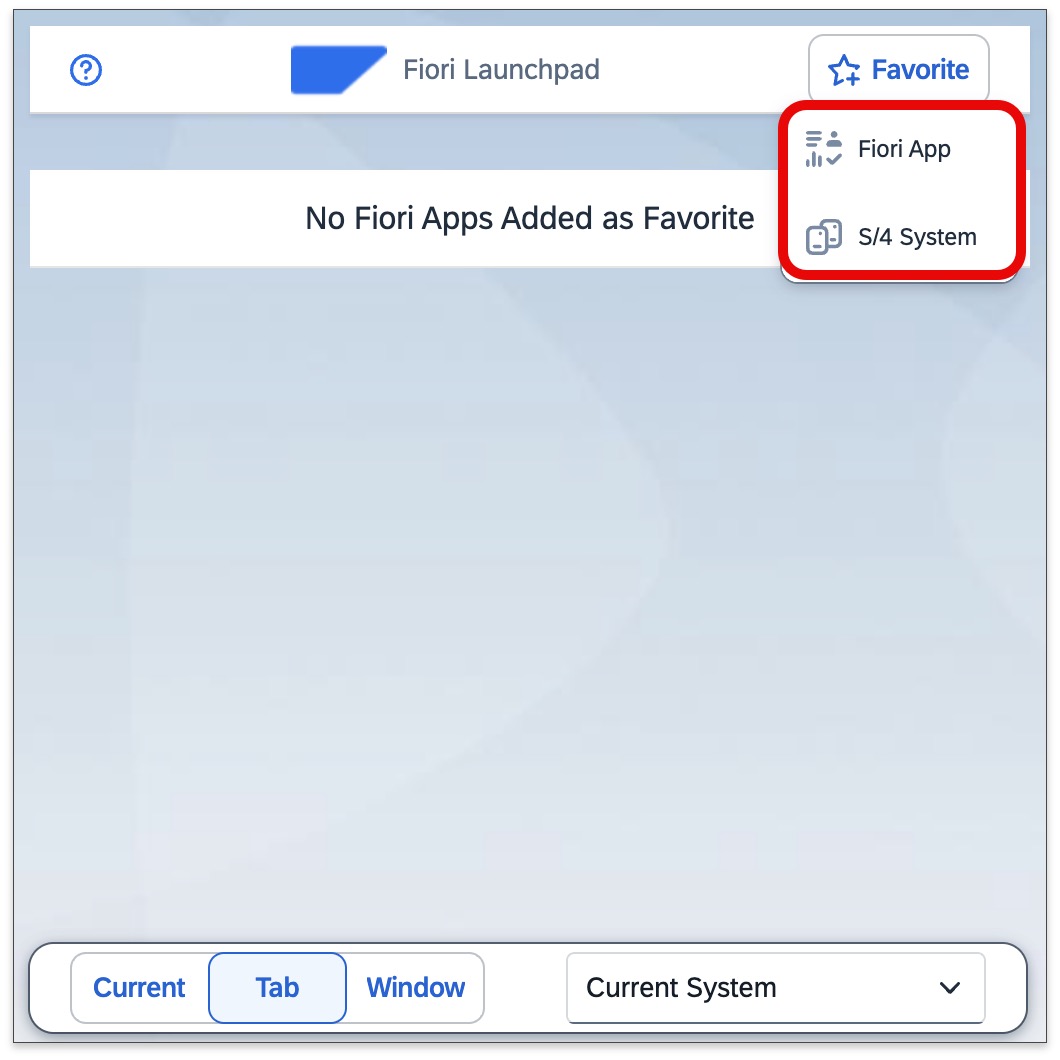
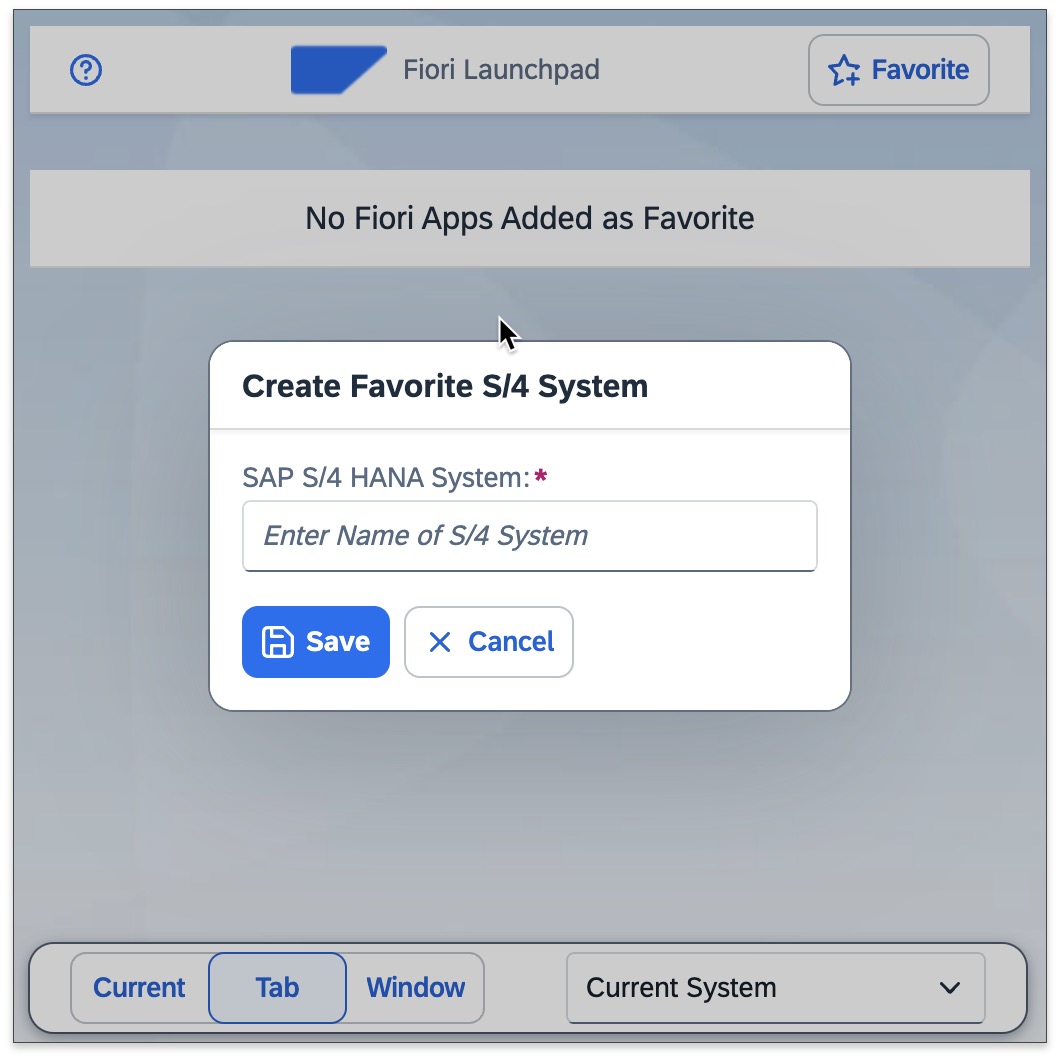
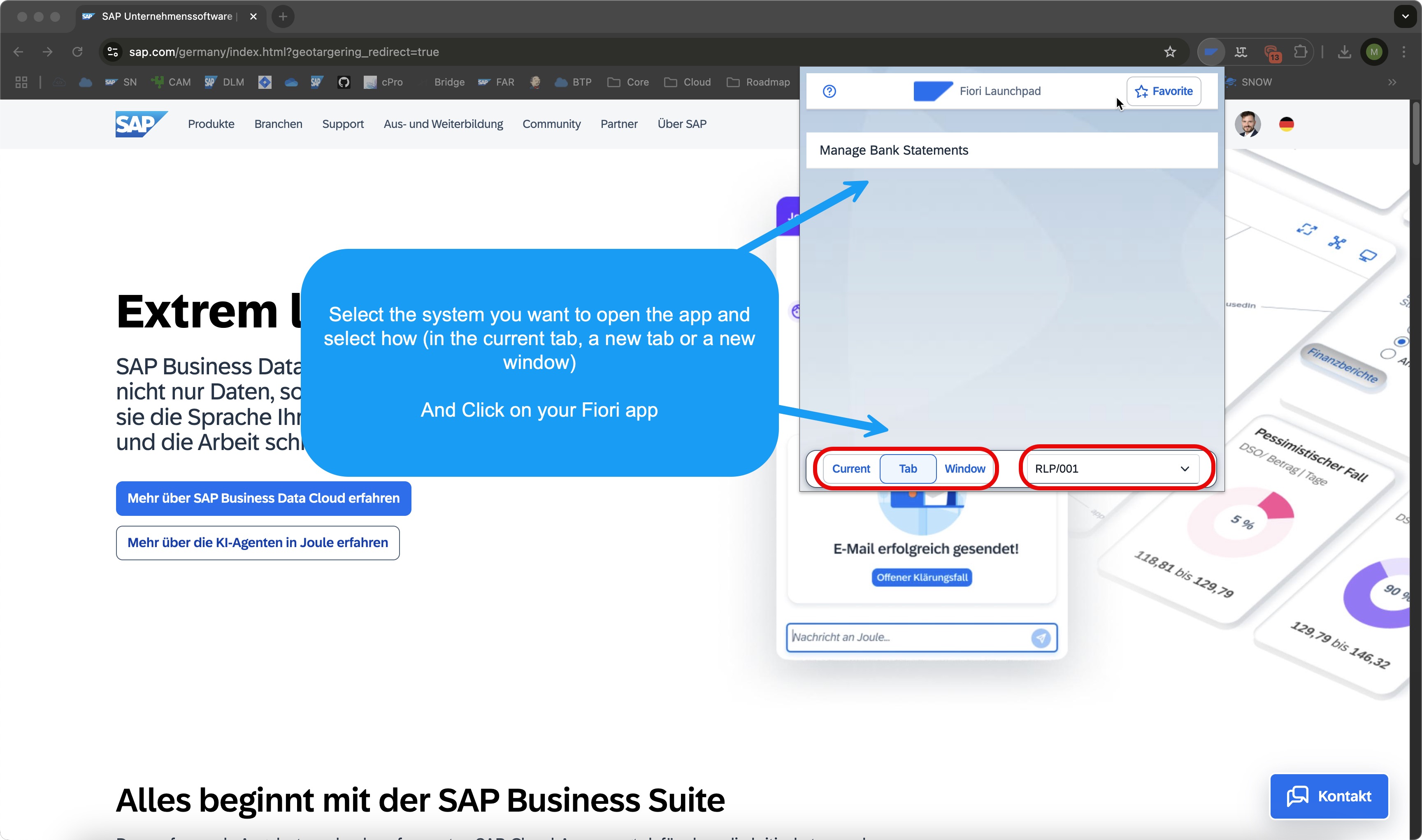
Newly added SAP Cloud ERP Systems will be visible in the drop-down list on your popup. Switch between systems with ease.
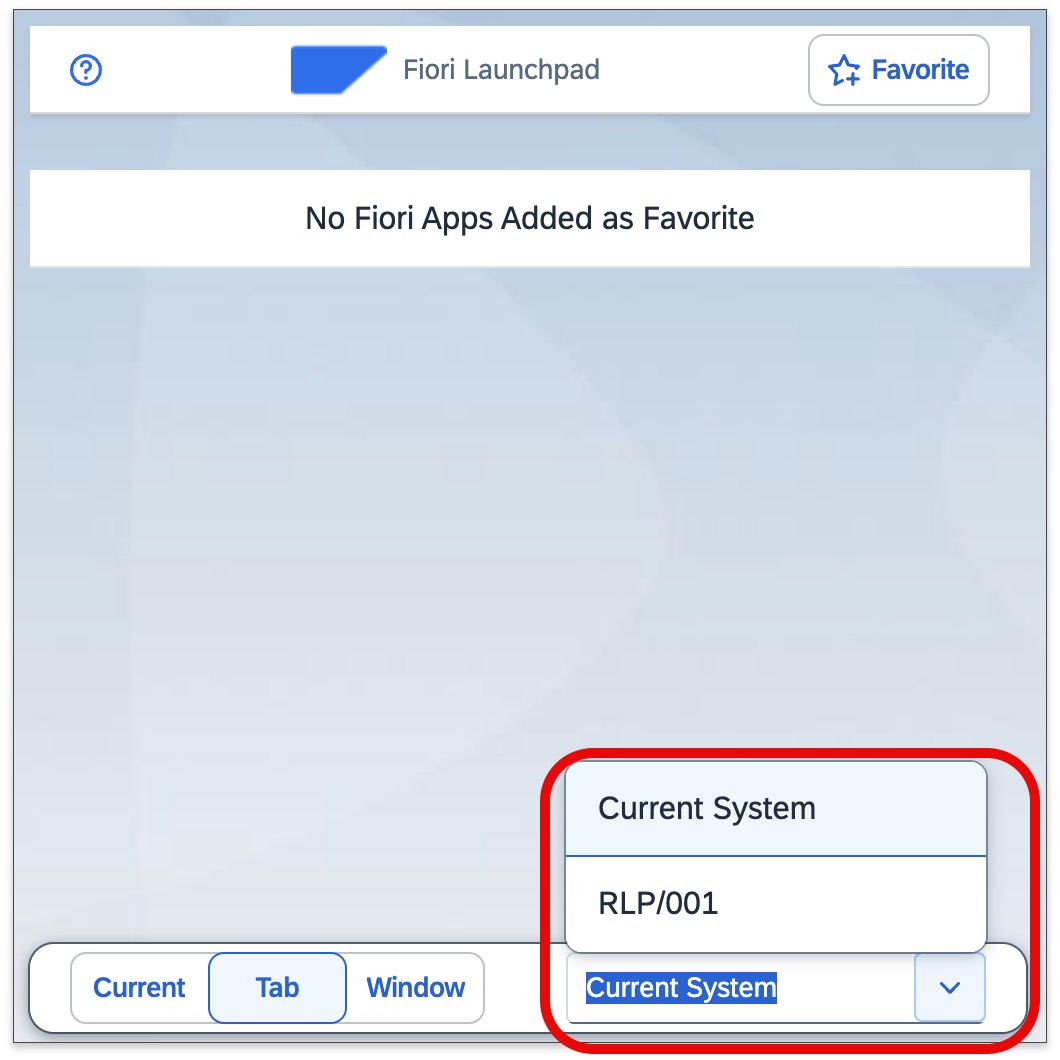
Add a Fiori App to your favorite list and it will show up in your popup. This is basically a "dynamic" bookmark — open any Fiori app in any SAP Cloud ERP System.
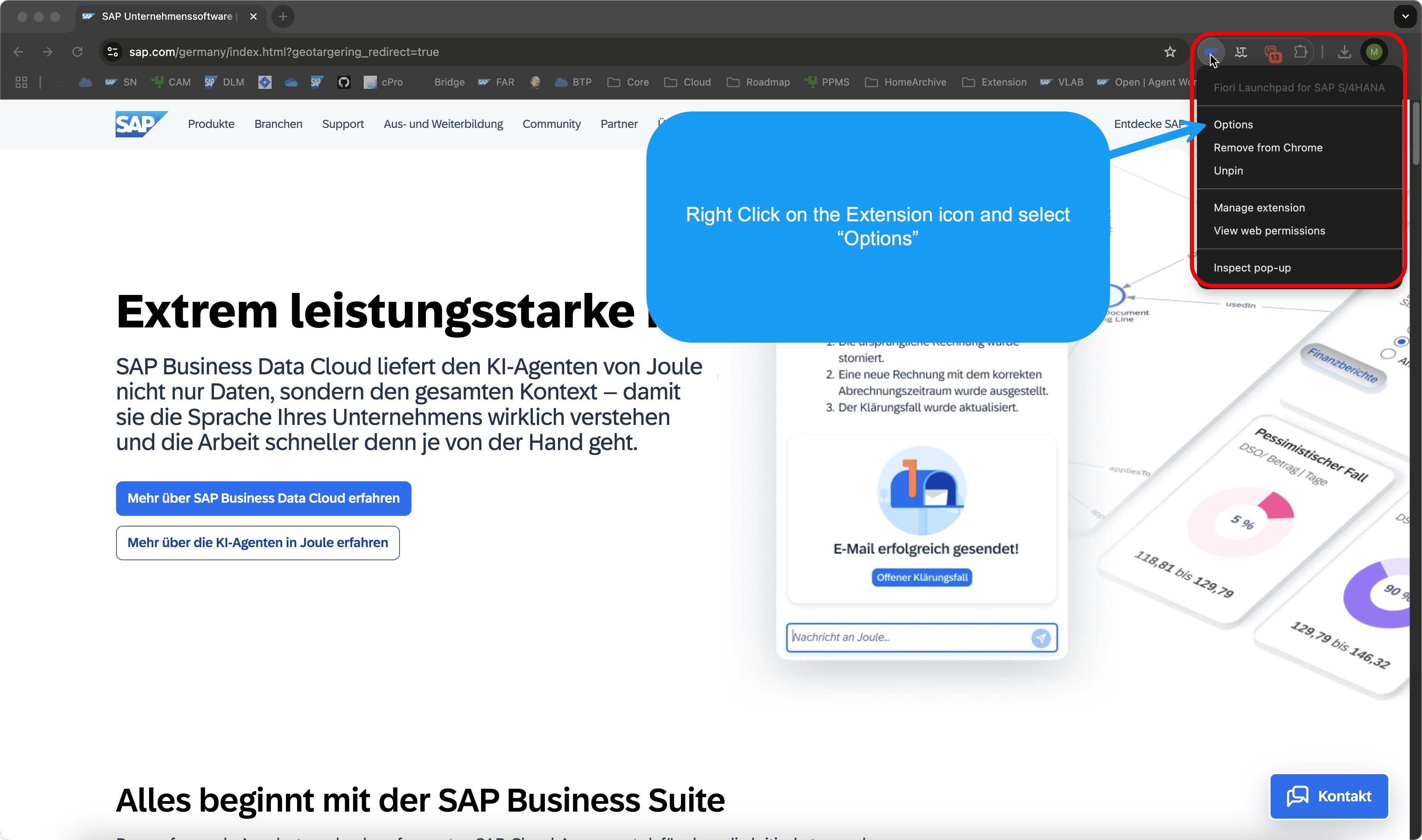
Right-click the extension icon and select "Options" to configure your extension and manage your favorite lists.
Configure your extension, maintain and manage your favorite lists, and share them with colleagues or clients.
Three segmented buttons — Current, Tab, Window — let you define how Fiori apps open:
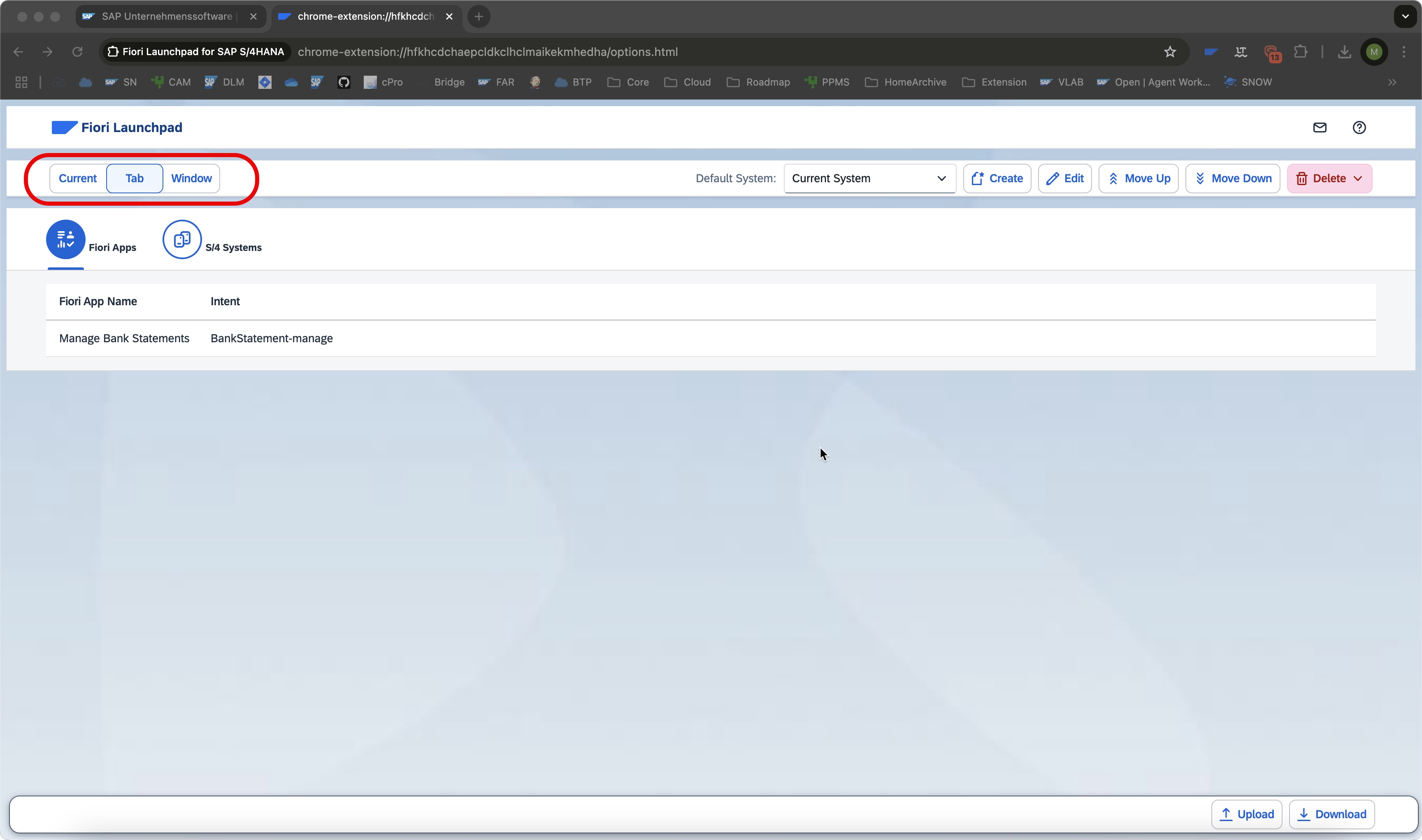
Select the system you use the most as your default. It will always be pre-selected in the popup dropdown, saving you one more click every time.
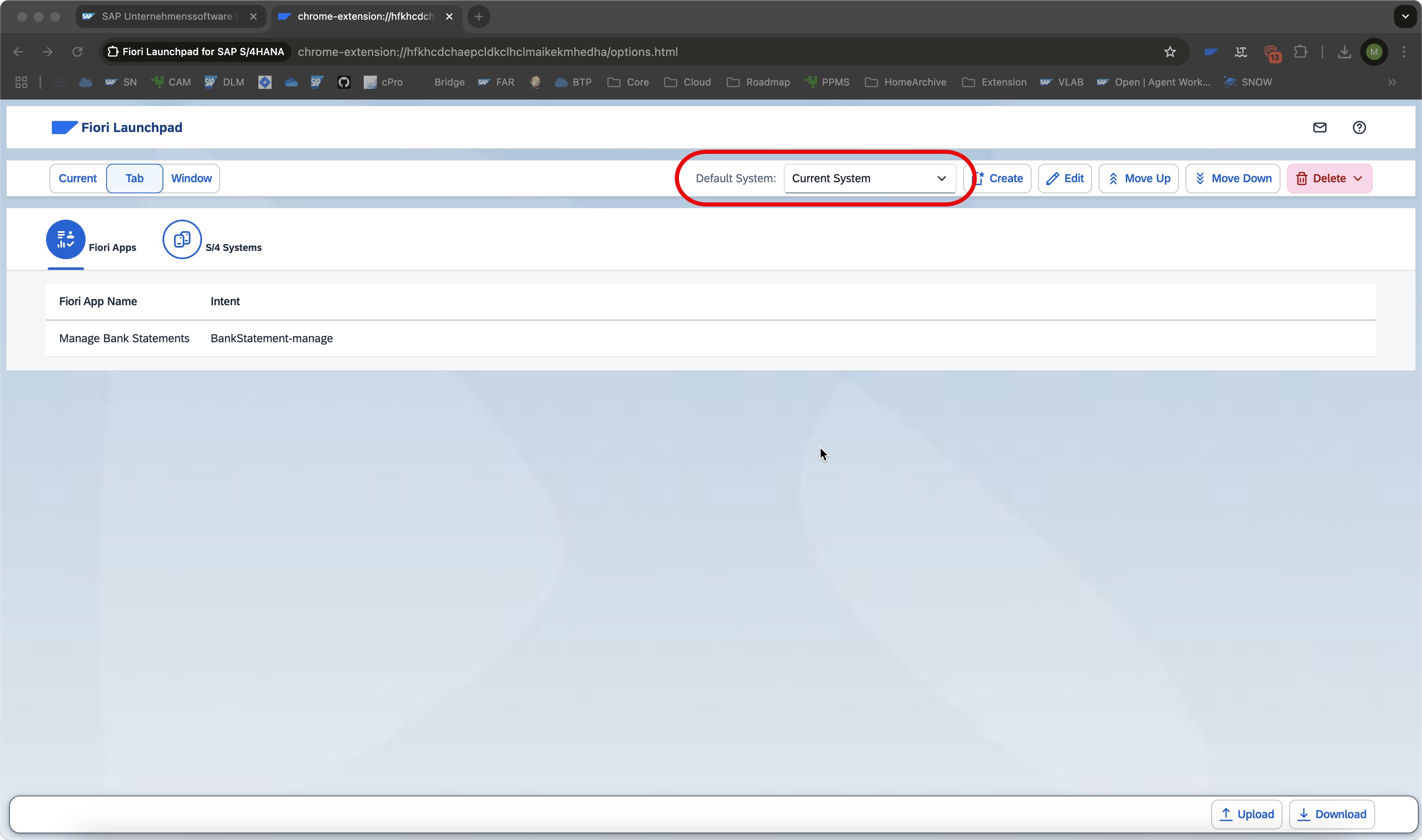
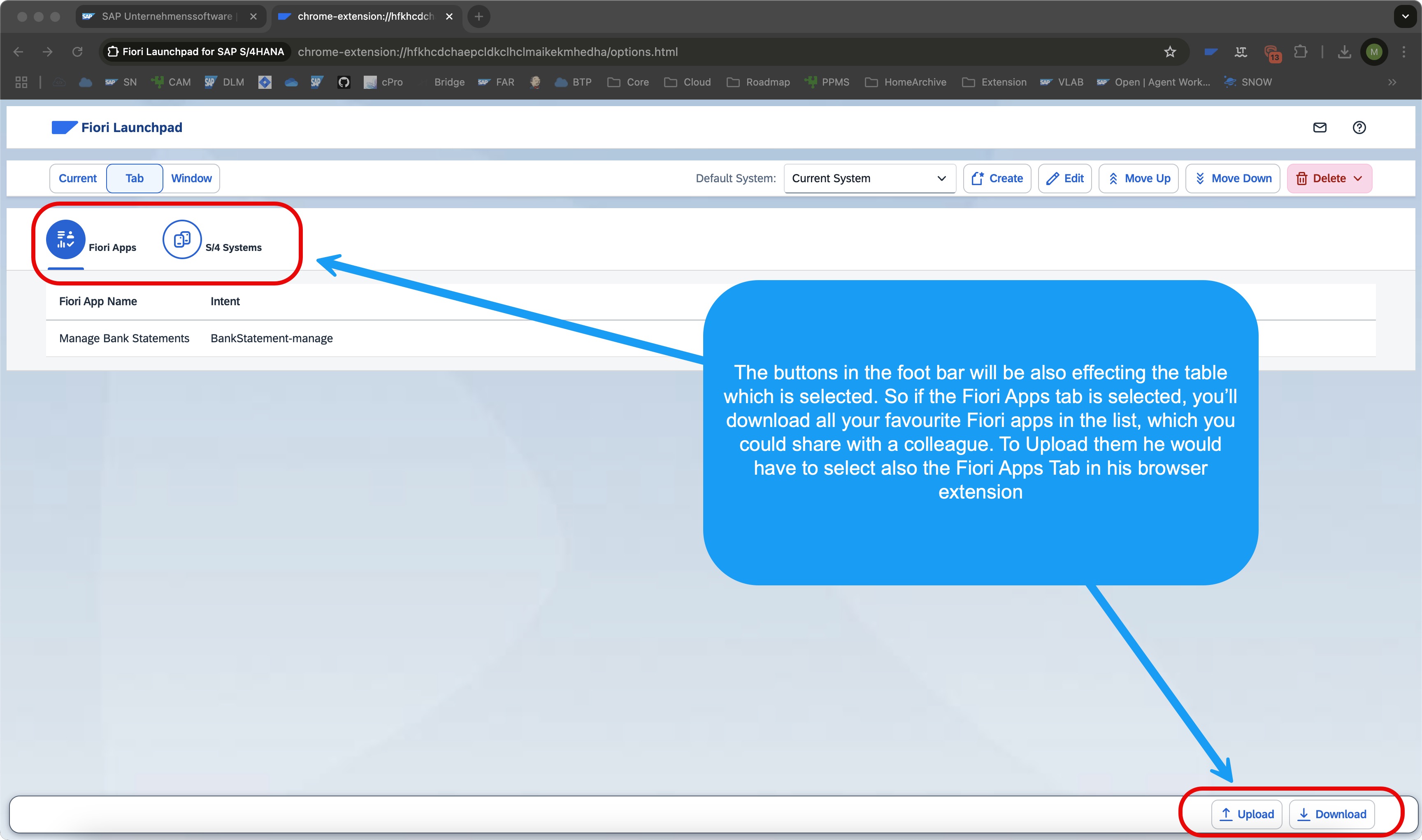
Use the upload and download functionality to share your favorite lists with colleagues or keep them as a backup when switching computers.
Want to use the extension in your incognito window? Enable it in your browser's extension settings — here's how:
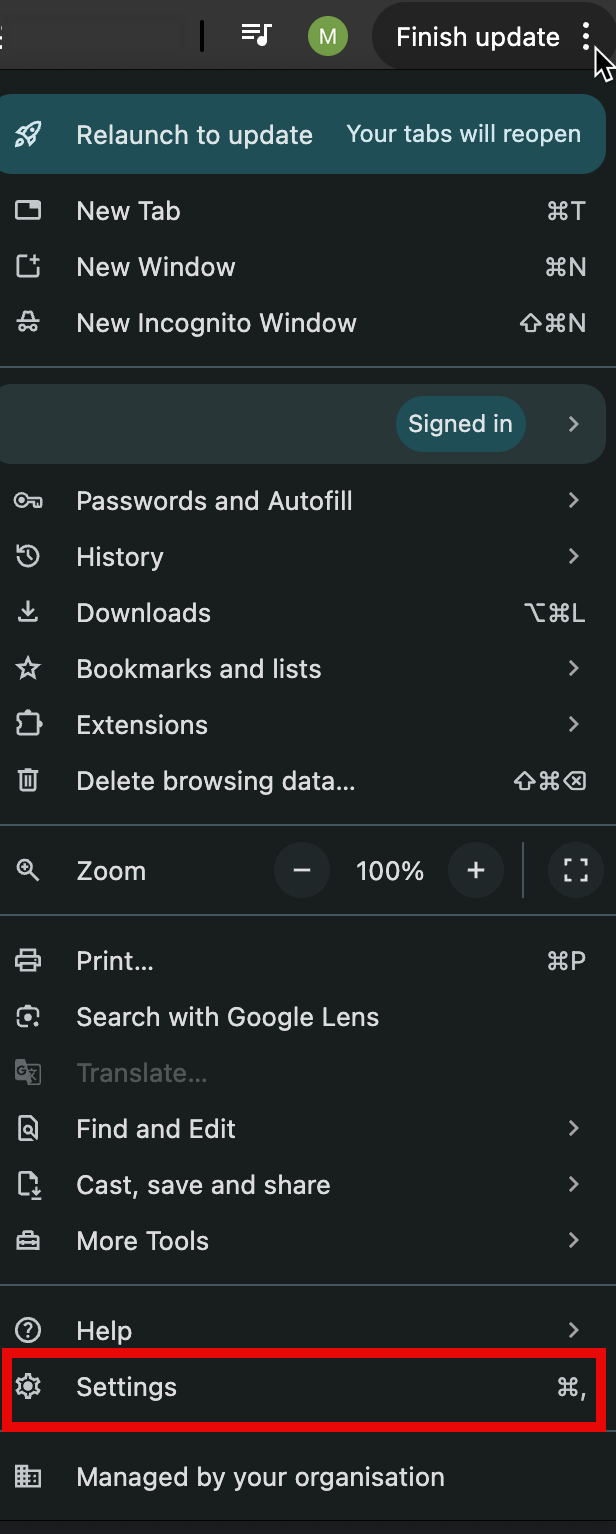
Click the three dots, then navigate to Settings.
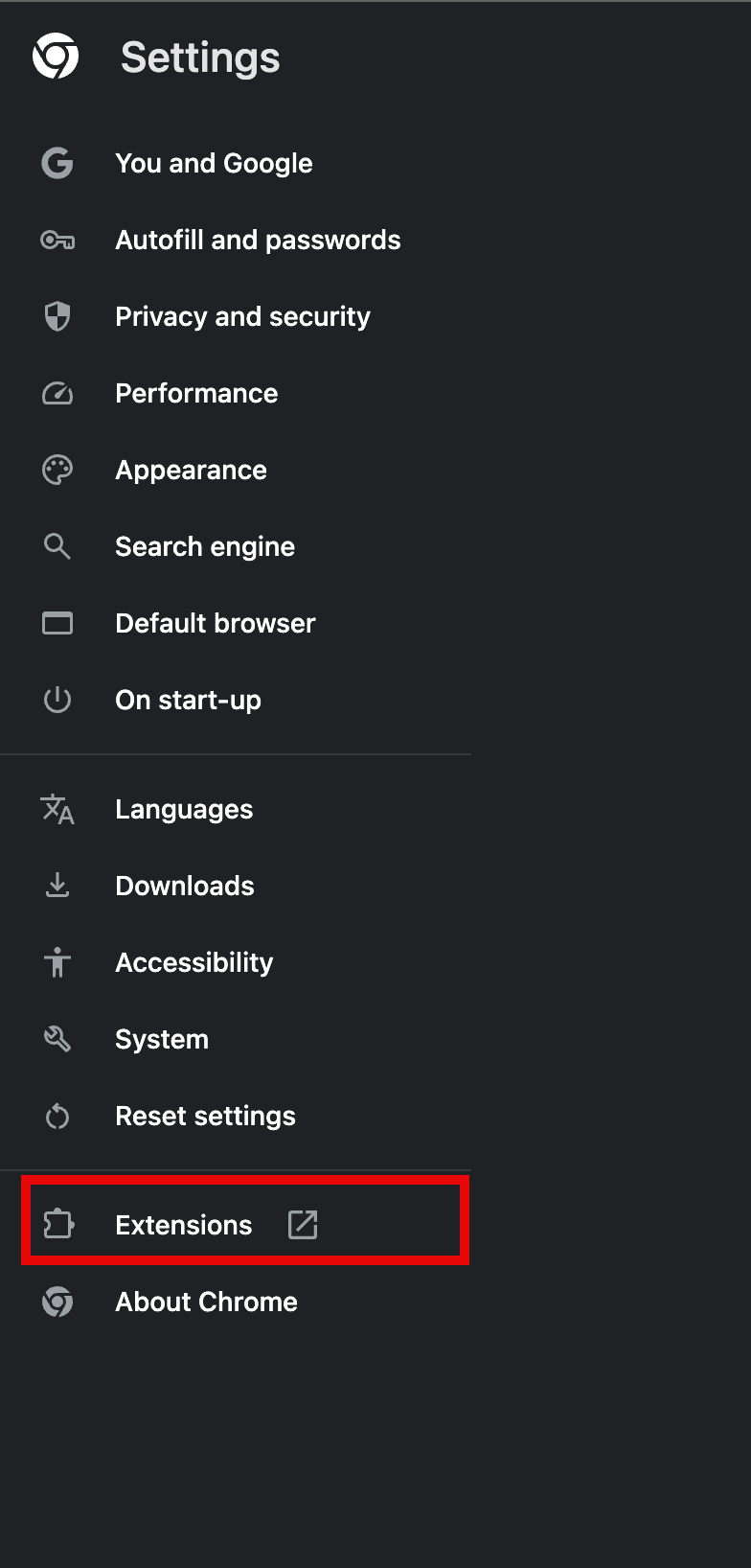
Navigate to the Extension settings in your browser.
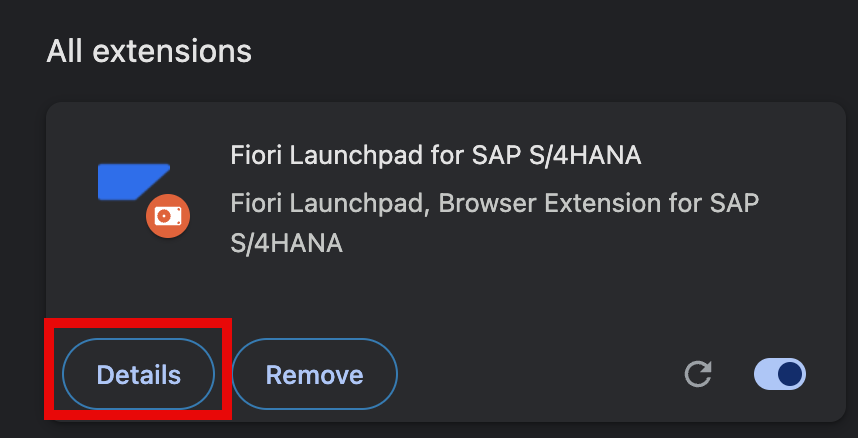
Click on "Details" for the SAP Cloud ERP Launchpad extension.
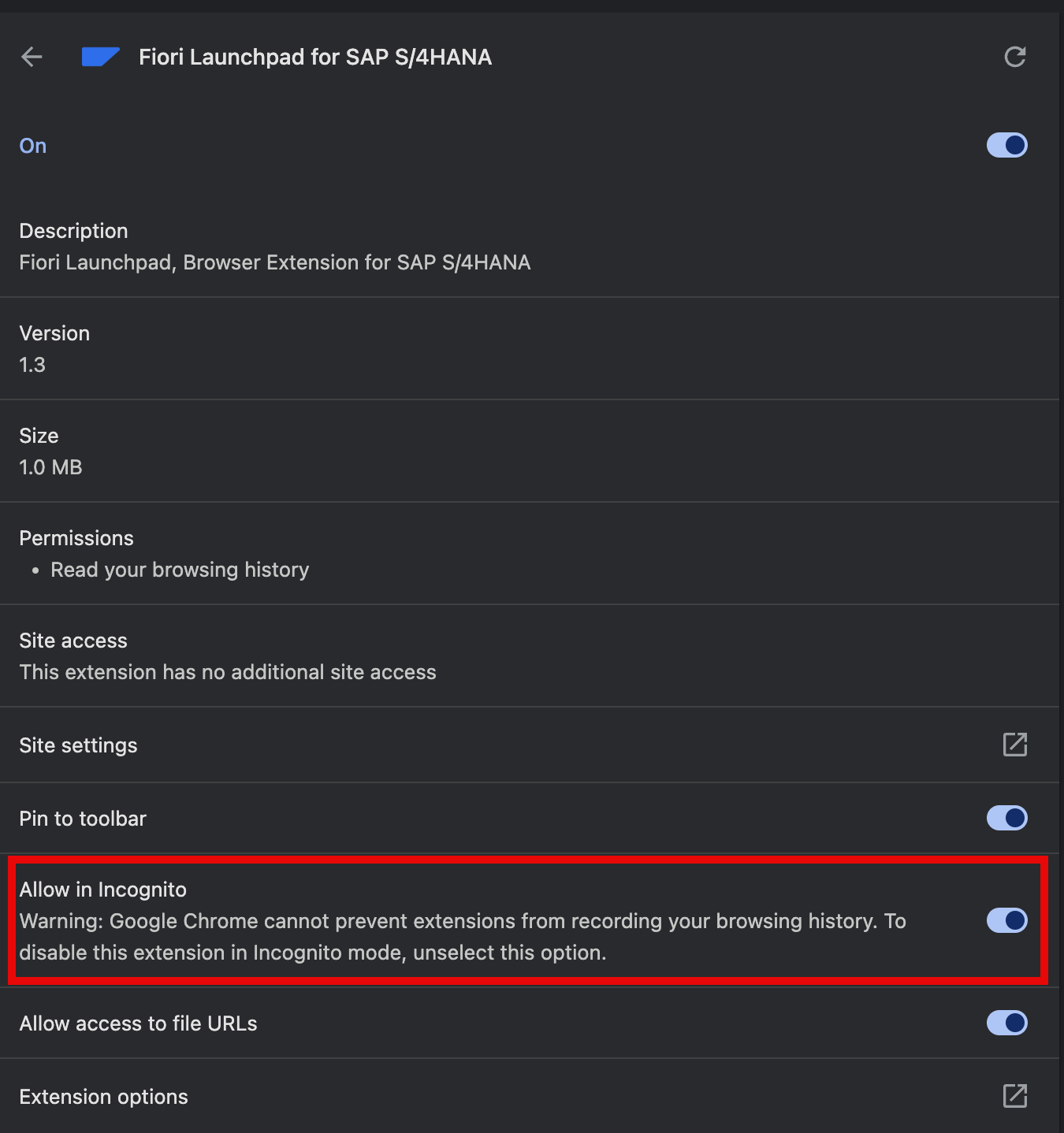
Toggle the switch to enable the extension in incognito mode.
The extension is built using modern, battle-tested technologies.
Real reviews from the Chrome Web Store — from developers, consultants, and business users working with SAP Fiori every day.
"It is a really great and helpful tool. I use it with Microsoft Edge in a german localization."
 SAP Community
"Fantastic content!"
"This tool makes my work with S/4 so much easier. It's great, smooth, and very easy to use. Highly recommended for anyone working with S/4"
"Excellent extension! It helps a lot for using Fiori apps!"
"Nice and helpful Extension :-D"
"Perfect tool for efficiently working with the Fiori launchpad."
"Quick access to favorite Fiori apps"
"Hello Edrilan, I am a big fan of your browser extension and heavily used it for quite some time already. Simple but very effective! Keep up the good work!"
SAP Community
"Hi @Edrilan_Berisha, it works like a charm. Thanks!"
SAP Community
"That will make life better! Thanks!"
SAP Community
"Wow! That's a very cool tool! Thank you so much for sharing!"
SAP Community
SAP Cloud ERP Launchpad Extension is maintained by Edrilan Berisha. Contributions of any kind are highly appreciated — improvement ideas, bug reports, or feature requests. If you want to help, just contact me or open a GitHub issue.
Or write directly to fiorilaunchpad@gmx.de